AVATAR HOME STUDIO · DO IT YOURSELF

Your avatar. Your scenes. Your studio.

Create a recognisable avatar, then bring it into your lifestyle content, campaigns and carousels. Foundation builds its references; Visual Kit helps you prepare visual productions in ChatGPT.

FR · EN · ES · Windows + Mac · GPT guidance

One avatar. Different worlds.

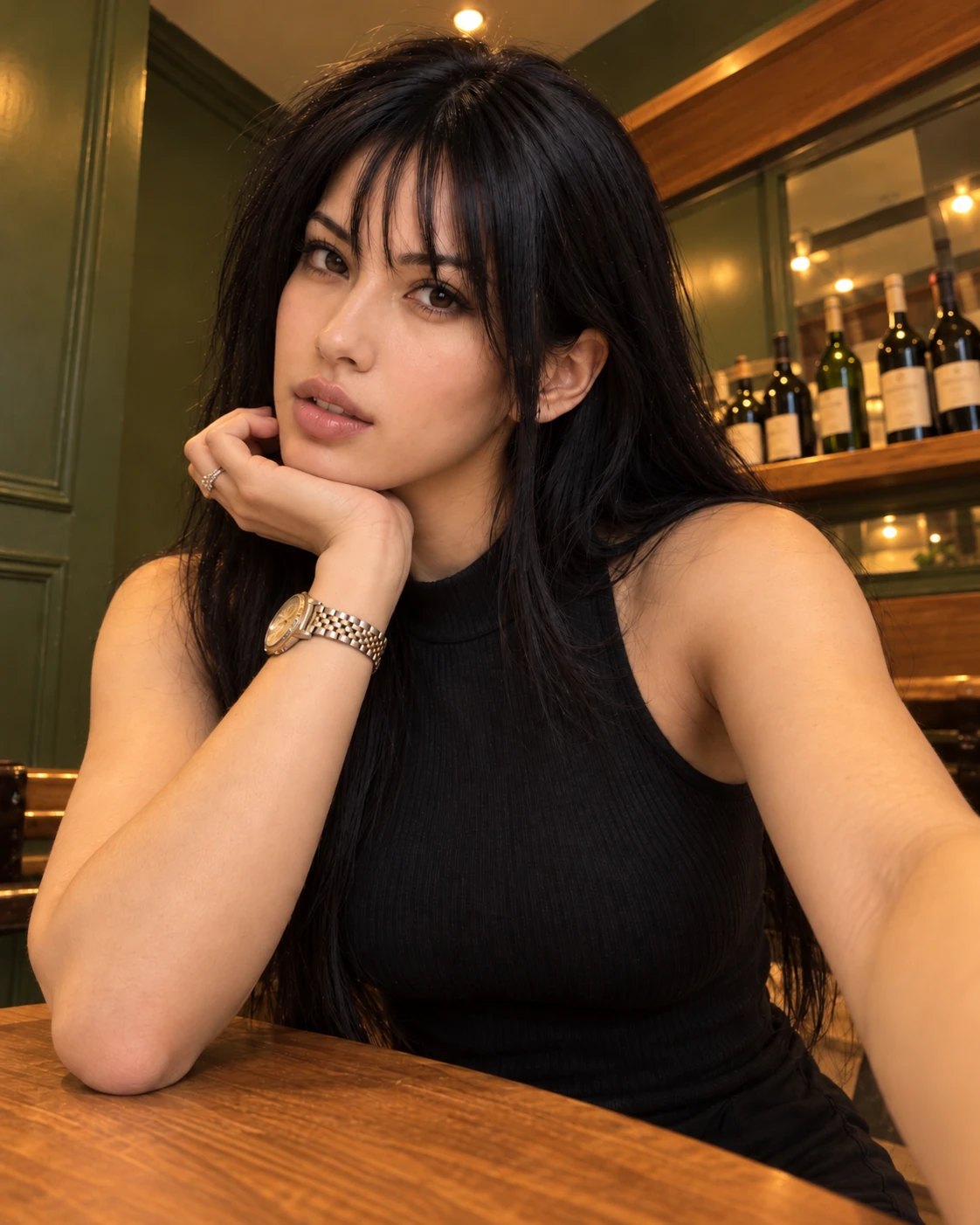
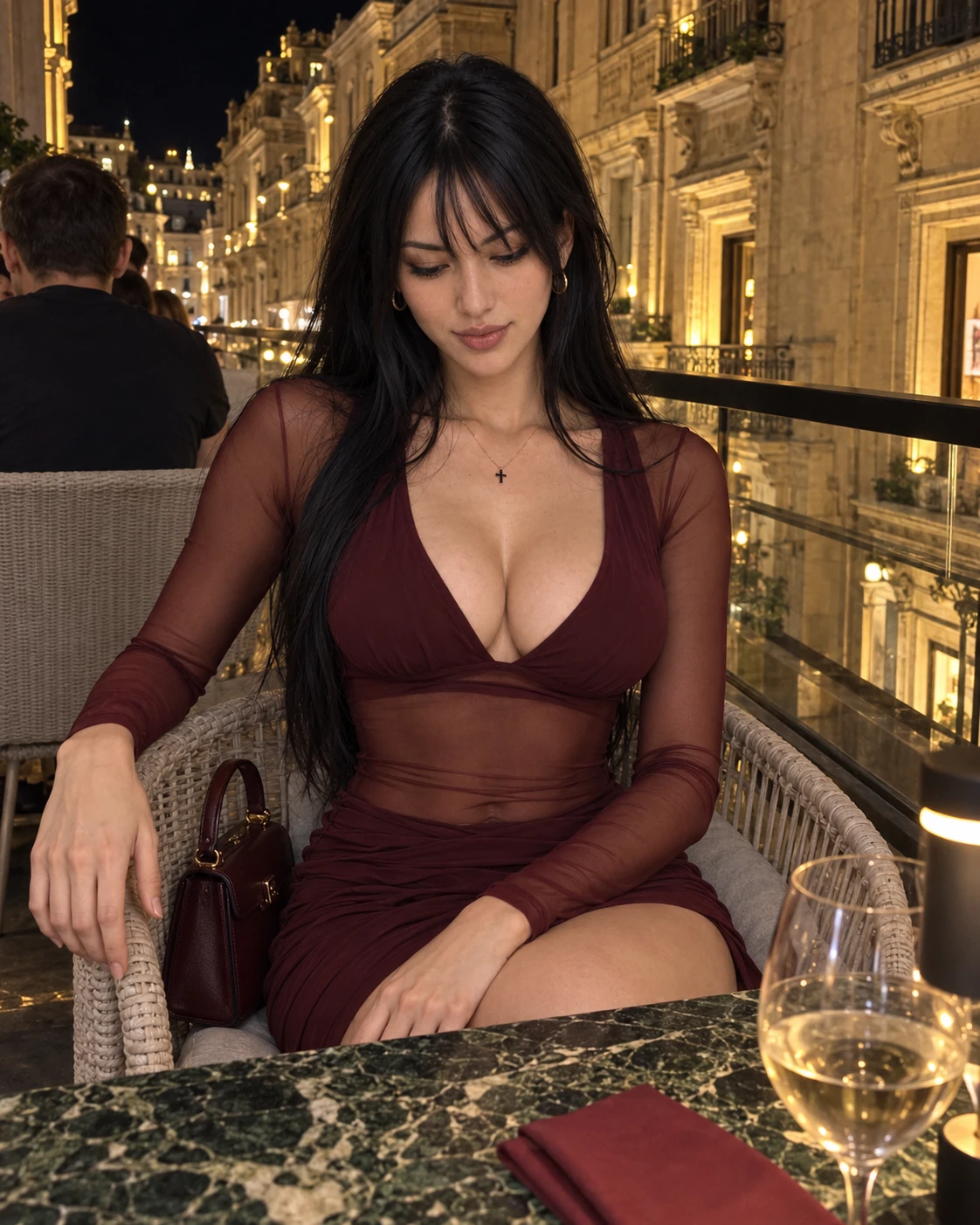
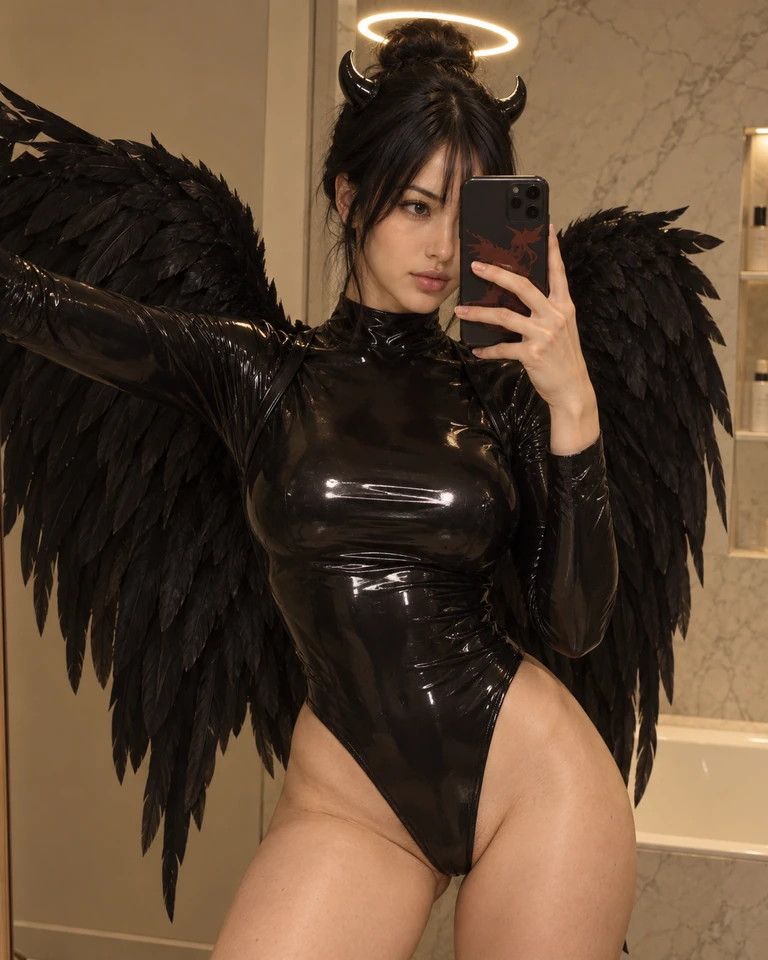
A lifestyle portrait, a restaurant evening, a themed image: change the context while working from the same reference identity.

Lifestyle portrait
Restaurant evening
Themed image

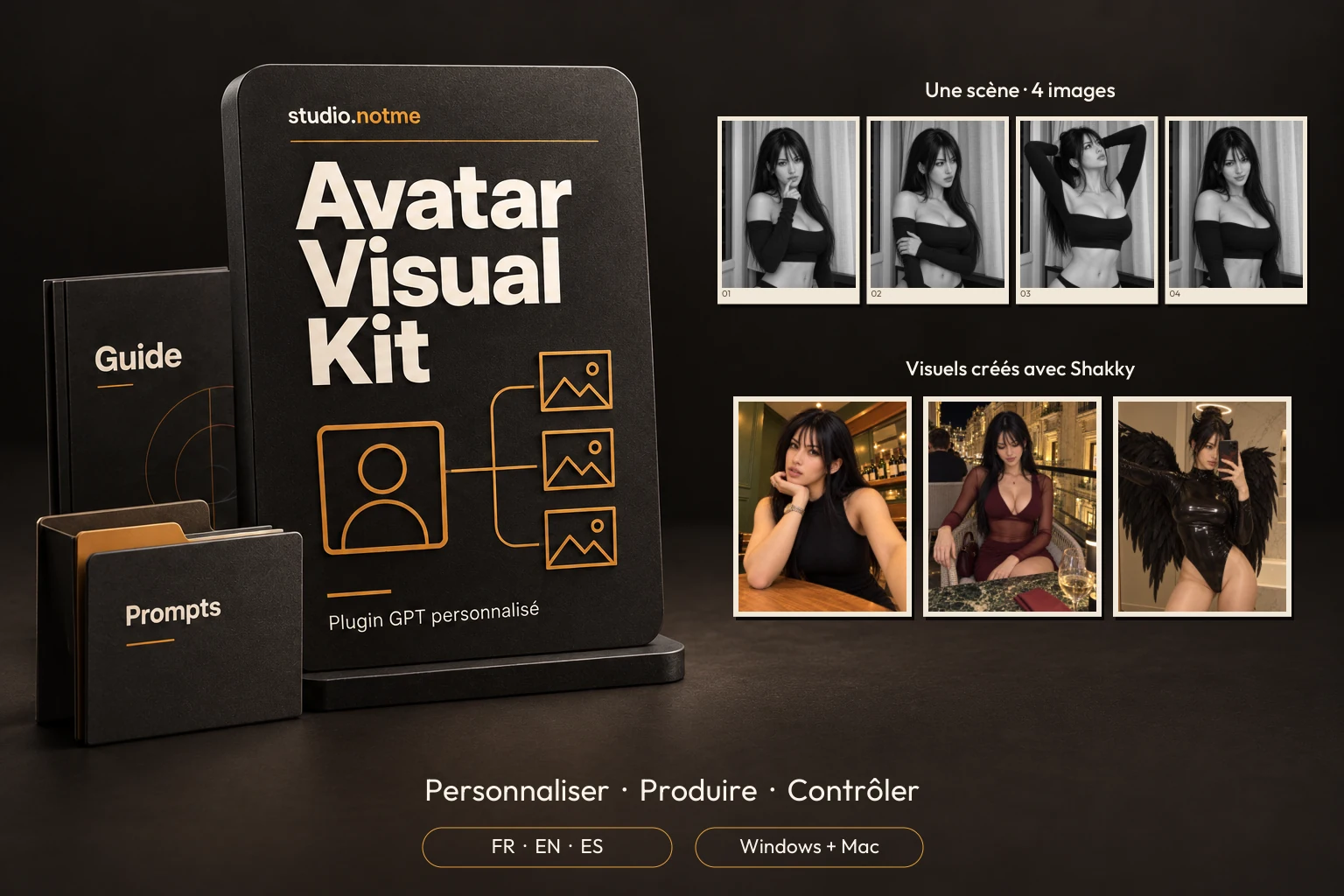
Examples created by studio.notme with Shakky, a fictional adult avatar.

These examples illustrate the workflow; they do not guarantee an identical result in every generation.

One scene. One outfit. Four images to share together.

Vary the pose and expression to build a carousel around the same avatar, in the same scene and outfit.

Continuation series — final versions after post-production.

Your avatar. Content for all your projects.

Build a recognisable identity, then bring your avatar into new scenes, outfits and image series. For your posts, campaigns or video preparation, you start with an organised foundation you can reuse.

Your projectWhat it helps you doExample results
Create content for social mediaDevelop a recognisable visual world and vary your posts around the same avatar.Portraits, everyday scenes, themed posts and carousels.
Present a brand or an offerPlace your avatar in different contexts to give your campaigns visual continuity.Launch visuals, product scenes and promotional content.
Explore outfits and creative worldsCompare creative directions using the same character as a reference point.Lookbooks, outfit variations, settings and atmospheres.
Tell a story across several imagesKeep a recognisable character from scene to scene and build connected series.Narrative carousels, sequences within one scene and visual episodes.
Prepare video generationCreate images to use as starting points, end points or references in your video tool.First frame, last frame and images of intermediate stages.
Prepare avatar trainingStart with an organised reference library to select from and expand according to your chosen model’s requirements.Image selection for Higgsfield Soul / Soul ID or preparation of a LoRA training dataset.
Present a concept to a clientShow several directions with a shared identity to support discussion and creative choices.Campaign proposals, mood boards and demonstration series.
Return to and develop your workKeep your visuals, their prompts and your location and outfit references together so you can resume a project without searching through your conversation history.Production tracking in Anchor Deck, reusable scenes, location anchors and outfit anchors.

Avatar Home Studio guides you through creating images with ChatGPT. For video or model training, you then reuse suitable images in a compatible tool, according to its requirements and pricing. The kits do not carry out these operations for you.

Explore both packs

Both packs

01 · Avatar Foundation
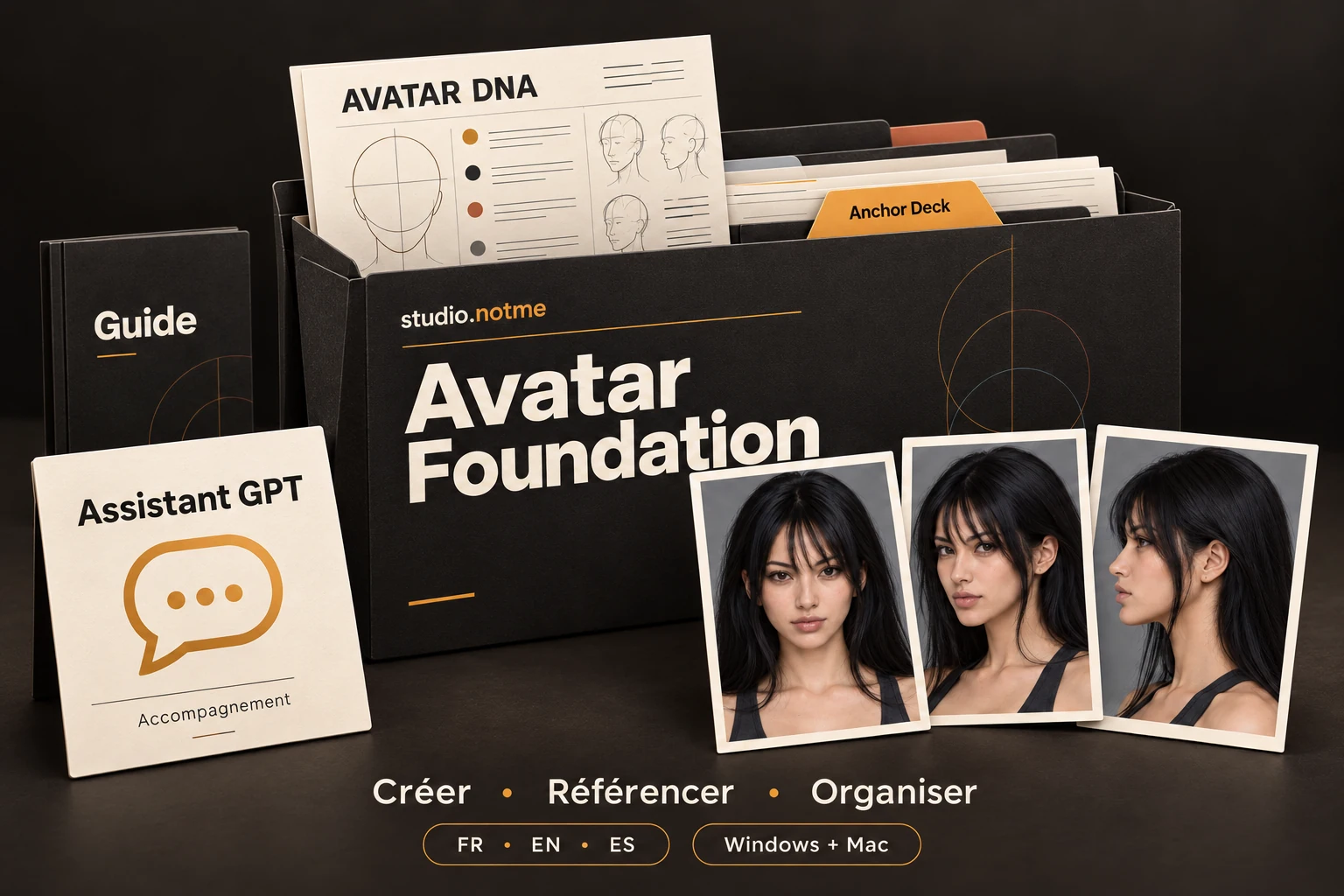
Avatar Foundation: identity dossier, references, DNA, Anchor Deck, GPT guidance assistant and guide.

Build an identity you can use again.

Define your avatar, approve its face and body, then prepare its reference angles. You build an organised foundation to guide future productions.

Your avatar and its library of 19 reference views.

You are starting from scratch, or your references are not yet structured.

Build my avatar’s foundation
02 · Avatar Visual Kit
Avatar Visual Kit: personalised plugin module, prompts and example productions with Shakky.

Prepare productions built around your avatar.

Use the ZIP export of your completed Anchor Deck to create your avatar’s personalised plugin for preparing image generations in ChatGPT.

Your personalised tool for preparing and refining visuals.

Requires the ZIP export of your completed Anchor Deck containing your avatar’s 19 approved reference views and DNA sheet.

Prepare my production workflow

One identity, seen from several angles.

An identity documented from several angles gives you references to reuse in your scenes. The workflow guides you through creating and organising them.

Front
Three-quarter
Profile

Your avatar and its library of 19 reference views.

Essential guide, GPT guidance assistant and local tools.

Explore the tools and guidance

What you receive

  • A step-by-step START_HERE workflow.
  • The configurator for selecting and refining characteristics.
  • The Anchor Deck for organising and saving the project.
  • Essential guides and assistance to use in ChatGPT.
  • The Shakky project to illustrate the expected reference library.

What you build

At the end: your library of 19 reference views, organised for the next stage.

In Anchor Deck, you save the identity, reference views, produced visuals and their prompts. It tracks production and stores location references (“location anchors”) and outfit references (“outfit anchors”). You can retrieve the materials you have saved there; your ChatGPT history is not synchronised automatically.

Preview of the included tools

Explore the 19 references

The 19 canonical views of the Shakky example are shown as web previews. Lighting-cleanup variants and production scenes remain separate from this library.

Prepare productions built around your avatar.

Use the ZIP export of your completed Anchor Deck to create your avatar’s personalised plugin for preparing image generations in ChatGPT.

Your personalised tool for preparing and refining visuals.

  1. Describe a scene or start from an inspiration image.
  2. Your plugin prepares a complete prompt and tells you which avatar references to attach.
  3. Generate in ChatGPT, inspect the image and request the changes you need.

Requires the ZIP export of your completed Anchor Deck containing your avatar’s 19 approved reference views and DNA sheet.

Starting from scratch? Choose Avatar Home Studio: Foundation + Visual Kit.

Creating your personalised plugin does not train an image model. For external training, Foundation references need selecting and may require additional images; some detail views are unsuitable.

Explore plugin preparation

What you receive

  • A five-step HTML preparation tool.
  • Import your Anchor Deck’s ZIP export and select your 19 approved references.
  • A custom name confirmed before export.
  • Instructions for creating your plugin with Plugin Creator.
  • Guides and test commands to get started.

What you build

At the end of the workflow: your personal tool for preparing visual productions with this avatar.

Import your completed Anchor Deck’s ZIP export: its approved references and identity information are used to prepare your plugin.

The preparer assembles your package and its instructions. You then create your private plugin with Plugin Creator in your ChatGPT account.

Preview of the included tools

Your workflow, from identity to production.

Foundation guides you through creating and approving your references, then bringing them together in your Anchor Deck. You then import that Deck’s ZIP export into Visual Kit to prepare your avatar’s plugin.

  1. Create the references.

    Build and approve your avatar’s references with Foundation.

  2. Prepare the plugin.

    Import your Anchor Deck’s ZIP export into Visual Kit to prepare the plugin for this avatar.

  3. Produce and organise visuals.

    Prepare scenes, generate and review images, then save your productions and their prompts in Anchor Deck.

See the reference approval sequence
  1. Define and test

    Choose the avatar’s features in the pack’s configurator.

  2. Approve face, then body

    Approve front face 01, then front body 06 using the approved face.

  3. Transfer and complete

    Transfer the validated configuration after 01 and 06, then build the remaining reference views.

  4. Organise your project

    Keep references and prompts together in Anchor Deck. The lighting-cleanup pass is optional; originals and variants stay separate.

  5. Create, then produce

    Use Visual Kit to prepare your plugin, then prepare scenes, compare results and decide what to approve.

Guides and video guidance.

Follow the guides at your own pace and visit the studio’s YouTube channel for video guidance. Check the channel for the videos actually published and their languages.

From your first avatar to your next visual series.

Foundation + Visual Kit: build your avatar’s references, then prepare your own visual production system in ChatGPT.

Avatar Foundation, Avatar Visual Kit and the Avatar Home Studio bundle are available on Gumroad. Purchases, payments and file access take place on that platform.

The final amount and any taxes are displayed by Gumroad at checkout.

The complete workflow
Avatar Home Studio combines Foundation for building references and Visual Kit for preparing personalised productions.

Avatar Home Studio

Avatar Foundation + Avatar Visual Kit

Create your avatar, then move on to producing visuals with your personalised plugin.

Launch price

199 €

Foundation + Visual Kit. Save €49 compared with buying the two packs separately.

View this pack on Gumroad

Packs available in the studio.notme Gumroad store.

ChatGPT and its image-generation capabilities are not included. Plugin Creator access is required to create the plugin.

No Higgsfield subscription is required for this workflow. Your ChatGPT account’s capabilities and limits apply.

Avatar Visual Kit

Use the ZIP export of your completed Anchor Deck to create your avatar’s personalised plugin for preparing image generations in ChatGPT.

Launch price

149 €

Requires the ZIP export of your completed Anchor Deck containing your avatar’s 19 approved reference views and DNA sheet.

Starting from scratch? Choose Avatar Home Studio: Foundation + Visual Kit.

View this pack on Gumroad

Packs available in the studio.notme Gumroad store.

Prepare my production workflow

One-time purchase of the packs. For use with ChatGPT; your account’s access conditions and limits apply.

Step-by-step guides and the guidance YouTube channel.

A question before you choose?

Guidance at every step.

Foundation: guides and a GPT guidance assistant. Visual Kit: instructions and tests for creating your plugin. In French, English and Spanish, with Windows and Mac instructions.

Preview the guides

Guidance you can refer to.

Essential guides and written assistance accompany the workflow. These are preview pages from the supplied documents, with their original version markings.

An excerpt from the Foundation essential guide included in the pack, Windows edition.
An excerpt from the creation guide included in Visual Kit.

Answers to help you choose your pack and get started.

Which pack should I choose if I am starting from scratch?

Choose Avatar Foundation to create your avatar, generate its reference views and organise them in your Anchor Deck. If you then want to produce visuals with your avatar’s personalised plugin, choose Avatar Home Studio: it combines Foundation and Visual Kit for the complete workflow.

Can I buy Visual Kit on its own?

Yes, if your Anchor Deck is ready. Visual Kit requires its ZIP export containing your avatar’s 19 approved reference views and DNA sheet. A photo or image folder does not replace that export. If you are starting from scratch, Foundation guides you through creating, approving and organising those references; the Avatar Home Studio bundle combines Foundation and Visual Kit.

What is Anchor Deck, and what is it for?

Anchor Deck is your workspace for organising your avatar’s identity and tracking your productions in one place. It brings together reference views, the identity sheet, produced visuals and their associated prompts.

You can also keep your location references (“location anchors”) and outfit references (“outfit anchors”) there, so you can find a setting or reuse an outfit in new images.

Once your work is saved in the Deck, you can resume a series or retrieve a prompt without searching through your ChatGPT conversation history.

Included with Foundation, its ZIP export is then used to prepare your personalised plugin with Visual Kit.

What do I receive after purchase?

You receive a digital pack to download and open on your computer. Foundation contains tools to configure your avatar, follow the creation of its references and organise them in Anchor Deck. Visual Kit contains the preparer and instructions for creating your plugin from that Deck’s export. Guides and tutorials help you through the steps. You create your own avatar; Shakky is a demonstration example.

Is it suitable for beginners?

Yes. The guides explain the steps, files and actions involved. The studio’s YouTube channel is the access point for video guidance; check it for published videos. Foundation also includes guidance you can load into a ChatGPT conversation to ask questions in your own words. You choose and approve the images.

What do I need in ChatGPT?

You need an account that allows you to generate images. To create the plugin with Visual Kit, Plugin Creator must also be available and enabled in your environment. If you have never used it, the kit provides an optional prompt to check its availability before you begin. Buying the packs does not include a ChatGPT subscription or unlock your account’s features.

Is the plugin already created and installed when I buy it?

No: it needs to be personalised with your avatar. Import the ZIP export of your Anchor Deck into the Visual Kit preparer, choose your plugin’s name, then follow the instructions to create it with Plugin Creator in your ChatGPT account. You obtain a plugin prepared with your own references.

Do I need to pay for Higgsfield or buy credits on another platform?

The image-creation workflow with the two kits runs in ChatGPT: no Higgsfield subscription is required for this workflow. Your ChatGPT account’s limits and any applicable costs apply. If you later choose to use your images in an external video or training tool, that tool has its own conditions and pricing.

Can I create several scenes with the same avatar?

Your references provide a foundation for keeping your avatar recognisable across different scenes, outfits and image series. You can also prepare continuation images for a carousel. Every result still needs checking: the face, proportions, hands or other details may need correction. The system helps you maintain consistency; it does not guarantee a perfect result in every generation.

Can I use the images for video or avatar training?

Yes, in a compatible tool. Your images can serve as the first or last frame of a video, intermediate references, or a starting library to select from and expand for training such as Soul ID or LoRA. The kits create and organise images; they do not generate videos or carry out training. Your chosen model’s requirements determine which images are suitable and which ones need adding.

Can I use it on Windows and Mac? In which languages?

The tools open in a browser and the guidance covers Windows and Mac. Kit content is available in French, English and Spanish. A computer is recommended for handling images, ZIP files and tools during the workflow. Check the YouTube channel’s information for video languages.

Do my files stay on my computer?

You can keep the downloaded tools, your images and your exports on your computer. When you attach files to ChatGPT for analysis, generation or plugin creation, they are transmitted to ChatGPT for that operation. The workflow combines local files with your ChatGPT account; it does not work entirely offline.

Prefer to commission the studio?

Avatar Atelier is studio.notme’s custom service.

Discover Avatar Atelier

Preview